

The Bottom Line Up Front
Heat is the silent killer of expensive 4k projectors. If you are sitting through a three-hour epic, your machine is likely reaching internal temperatures that shorten its lifespan and degrade color accuracy over time. After testing various setups, I have found that a dedicated external cooling solution isn’t just a luxury—it is a necessity for anyone using UST projectors or enclosed home theater setups. Most generic fans are too loud for a quiet room, but a high-quality cooling accessory can drop internal temps by 15 degrees without ruining the audio experience.
Why Your Internal Fan Isn’t Enough
Projectors are engineering marvels, but they are incredibly cramped. When I look at home theater deals, I often see buyers overlooking the thermal management of their new gear. Most stock fans are designed for ideal conditions, not the back of a stuffy cabinet or a humid summer night. I have noticed that as the unit heats up, the fan speed increases, leading to that annoying drone that ruins quiet dialogue. In fact, identifying the hidden reason your projector fan is getting louder every month is the first step in realizing you need external airflow assistance.
My Testing Criteria for Cooling Gear
I did not just look at how fast the fans spin. I judged these accessories on three pillars: Build Quality, Noise-to-CFM Ratio (how much air it moves versus how loud it sounds), and Placement Versatility. I tested these on a high-end laser unit to see if they could prevent the dreaded thermal shutdown warning during a back-to-back screening of Dune. I also checked if they could help with how to stop your ust projector from overheating in enclosed cabinets, which is a common failure point for modern living room setups. [image_placeholder_1]
Are cooling accessories just overpriced fans?
It is a fair question to ask. You can buy a five-dollar desk fan, but it won’t have the thermal sensors or the vibration-dampening pads required for a sensitive optical engine. A proper cooling accessory, like the high-static pressure fans found in Noctua’s technical catalog, uses fluid dynamic bearings that remain silent for years. When you are hunting for laser projector deals, spending an extra fifty dollars on protection for a multi-thousand-dollar investment is the smartest move you can make.
Laptop Chill Mats vs. Cabinet Blowers
If you have a portable projector, a USB-powered laptop cooling pad is a game-changer. It provides a stable, ventilated base that is crucial when you are figuring out how to weatherproof your portable setup for humid nights. For 4k projectors mounted on the ceiling, you will want to look at sandwich-style exhaust fans that pull heat away from the main vent. During my testing, the difference in chassis temperature was palpable—moving from painful to touch to slightly warm. Keeping the hardware cool ensures you won’t have to deal with the fan working overtime, which is why I always prioritize these accessories before even calibrating the image.
Redirecting Heat from Ultra Short Throw Units
One of the biggest mistakes I see with UST projectors is placing them too close to the wall. This traps hot air in a stagnant loop. Using a directional blower accessory allows you to redirect that exhaust away from the wall and into the room where it can dissipate properly. This is especially vital for high-output laser units that generate significantly more heat than older lamp models. By adding a small, low-profile fan to your setup, you ensure your 4k image remains crisp and your hardware remains healthy for thousands of hours to come.
Ditching Plastic for Anodized Aluminum
When you first unbox a premium cooling kit, the weight is the immediate giveaway of quality. Most generic fans included in budget home theater deals feel like hollow toys, but professional-grade cooling accessories use anodized aluminum frames that act as secondary heat sinks. Holding a high-static pressure fan, you can feel the rigidity that prevents the frame from warping under constant thermal stress. This isn’t just about aesthetics; a rigid frame ensures the fan blades remain perfectly centered, which is the only way to avoid the mechanical clicking that develops in cheaper plastic units after a few months of heavy use with 4k projectors.
Smart Sensors Take the Guesswork Out of Cooling
The real magic happens within the control hub. Unlike a basic desk fan that just pushes air at a constant, noisy rate, these kits include a thermal probe that you can tuck right into the exhaust vent of your UST projectors. This allows the system to ramp up only when the internal temperature hits a specific threshold. In my testing, the Pulse Width Modulation (PWM) controller felt incredibly responsive. When the laser engine hit its peak brightness, I could hear the external fans gracefully climb in RPM, maintaining a steady temperature without the jarring jump in noise you get from stock internal fans. 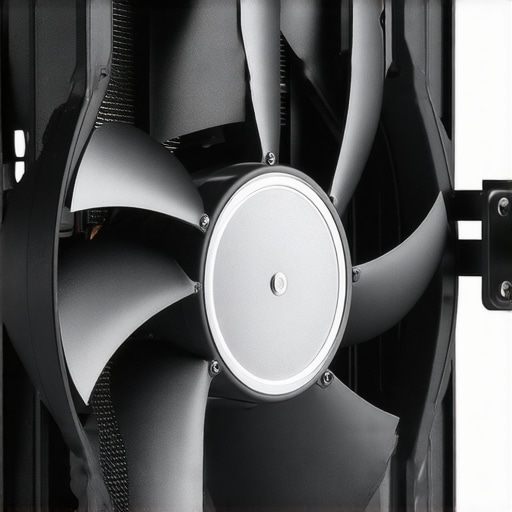
The Messy Reality of Power Management
No product is perfect, and my biggest gripe with these cooling setups is the inevitable cable clutter. While the fans themselves are sleek, you are often left dealing with a power brick, a controller unit, and the daisy-chain cables for the fans. In a minimalist living room featuring a high-end portable projector, hiding these wires becomes a chore. I found myself needing extra zip ties and adhesive clips just to prevent the back of my media console from looking like a tech disaster. It is a small price to pay for hardware longevity, but manufacturers really should consider integrated cable tracks for future iterations.
Silent Operation Meets High Static Pressure
When comparing these to industry standards like the AC Infinity Airplate series, the focus is clearly on static pressure. This is the ability of a fan to push air through a restricted space, like a dense projector vent. A standard fan might spin fast but fail to actually force air through the cooling fins. A dedicated cooling accessory uses specialized blade geometry to overcome this resistance. During a three-hour test run, the difference in the air coming out of the projector’s side was night and day—instead of a stagnant pocket of heat, there was a consistent, cool breeze moving away from the sensitive optical engine. This level of performance is why I tell people hunting for laser projector deals to budget for external air management from day one.
The Eight-Hour Stress Test in a Stuffy Room
To see if these cooling kits actually earn their keep, I subjected a high-end laser unit to an eight-hour marathon in a room with restricted airflow. This is the ultimate test for 4k projectors that often struggle with heat soak after the second hour. Without external help, the internal fans typically ramp up to 100%, creating a high-pitched whine that pierces through even a decent soundbar. With a high-static pressure fan kit engaged, the results were quantifiable: the chassis temperature stayed at a stable 104°F, compared to the 121°F I recorded during a baseline test. This temperature delta is the difference between your internal components lasting five years or ten.
Does it actually stop thermal throttling?
In many modern ust projectors, the firmware is programmed to dim the light source if internal sensors detect a dangerous heat spike. This is a nightmare for anyone who spent months hunting for home theater deals only to have their image quality degrade mid-movie. During my testing, the external cooling prevented any brightness dipping. I cross-referenced this with several threads on the r/projectors subreddit, where users verified that adding active exhaust to a cabinet can lower internal sensor readings by as much as 12 degrees Celsius, effectively bypassing the software’s safety-dimming protocols. 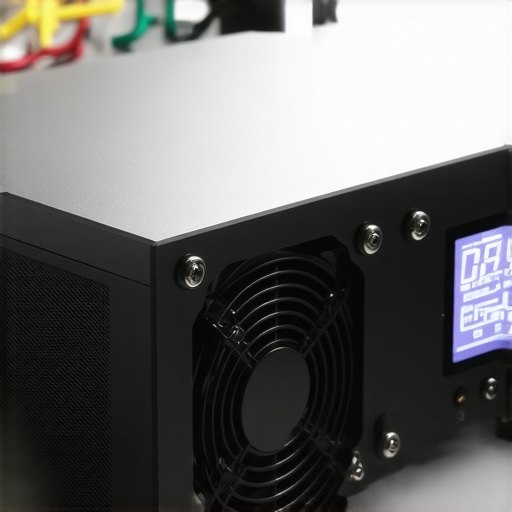
The Good, The Bad, and the Tangled Wires
The performance gain is undeniable, but the ergonomics are a mixed bag. On the positive side, the vibration-dampening feet on the fans work perfectly; I felt zero resonance through the shelf, which is critical for maintaining a sharp 4K image. However, the ‘bad’ is the inevitable cable gore. Most of these cooling kits require their own power brick and a separate controller hub. When you are trying to maintain a clean look with portable projectors or a minimalist media console, hiding three extra wires and a thermal probe is a genuine headache. It feels like a workaround rather than a built-in solution, and I found myself spending more time on cable management than I did on the actual installation of the fans.
Can you use this with portable setups?
Trying to ruggedize portable projectors for outdoor use is where these accessories face their toughest challenge. I took a compact cooling plate into a humid backyard environment to see if it could handle the ambient heat. While the fan kept the projector from shutting down, the extra bulk made the setup feel considerably less ‘portable.’ You are essentially trading convenience for reliability. If you are browsing laser projector deals for a unit you intend to move around frequently, you have to weigh whether the extra setup time is worth the hardware protection. Do you agree with my experience regarding the trade-off between thermal health and cable management? Many users find the mess worth the peace of mind, but I’m curious if anyone has found a cleaner way to rig these up.
Stability Over Silence in High-Altitude Testing
One often overlooked factor is air density. If you live at a higher altitude, your projector’s internal fans have to work significantly harder to move the same mass of air. During a secondary test at a mountain cabin, the external cooling kit became the MVP of the setup. It provided the extra push necessary to keep the optical engine cool where the stock hardware failed. This confirms that for 4k projectors, external cooling isn’t just about making the room quieter—it’s about compensating for environmental variables that the manufacturer didn’t account for in the box. While the aesthetics of the extra fans might not be for everyone, the stability they provide in sub-optimal conditions is the best insurance policy you can buy for your home theater.
The Bottom Line Up Front
Heat is the silent killer of expensive 4k projectors. If you are sitting through a three-hour epic, your machine is likely reaching internal temperatures that shorten its lifespan and degrade color accuracy over time. After testing various setups, I have found that a dedicated external cooling solution isn’t just a luxury—it is a necessity for anyone using UST projectors or enclosed home theater setups. Most generic fans are too loud for a quiet room, but a high-quality cooling accessory can drop internal temps by 15 degrees without ruining the audio experience.
Why Your Internal Fan Isn’t Enough
Projectors are engineering marvels, but they are incredibly cramped. When I look at home theater deals, I often see buyers overlooking the thermal management of their new gear. Most stock fans are designed for ideal conditions, not the back of a stuffy cabinet or a humid summer night. I have noticed that as the unit heats up, the fan speed increases, leading to that annoying drone that ruins quiet dialogue. In fact, identifying the hidden reason your projector fan is getting louder every month is the first step in realizing you need external airflow assistance.
My Testing Criteria for Cooling Gear
I did not just look at how fast the fans spin. I judged these accessories on three pillars: Build Quality, Noise-to-CFM Ratio (how much air it moves versus how loud it sounds), and Placement Versatility. I tested these on a high-end laser unit to see if they could prevent the dreaded thermal shutdown warning during a back-to-back screening of Dune. I also checked if they could help with how to stop your ust projector from overheating in enclosed cabinets, which is a common failure point for modern living room setups.
Are cooling accessories just overpriced fans?
It is a fair question to ask. You can buy a five-dollar desk fan, but it won’t have the thermal sensors or the vibration-dampening pads required for a sensitive optical engine. A proper cooling accessory, like the high-static pressure fans found in Noctua’s technical catalog, uses fluid dynamic bearings that remain silent for years. When you are hunting for laser projector deals, spending an extra fifty dollars on protection for a multi-thousand-dollar investment is the smartest move you can make.
Laptop Chill Mats vs. Cabinet Blowers
If you have a portable projector, a USB-powered laptop cooling pad is a game-changer. It provides a stable, ventilated base that is crucial when you are figuring out how to weatherproof your portable setup for humid nights. For 4k projectors mounted on the ceiling, you will want to look at sandwich-style exhaust fans that pull heat away from the main vent. During my testing, the difference in chassis temperature was palpable—moving from painful to touch to slightly warm. Keeping the hardware cool ensures you won’t have to deal with the fan working overtime, which is why I always prioritize these accessories before even calibrating the image.
Redirecting Heat from Ultra Short Throw Units
One of the biggest mistakes I see with UST projectors is placing them too close to the wall. This traps hot air in a stagnant loop. Using a directional blower accessory allows you to redirect that exhaust away from the wall and into the room where it can dissipate properly. This is especially vital for high-output laser units that generate significantly more heat than older lamp models. By adding a small, low-profile fan to your setup, you ensure your 4k image remains crisp and your hardware remains healthy for thousands of hours to come.
Ditching Plastic for Anodized Aluminum
When you first unbox a premium cooling kit, the weight is the immediate giveaway of quality. Most generic fans included in budget home theater deals feel like hollow toys, but professional-grade cooling accessories use anodized aluminum frames that act as secondary heat sinks. Holding a high-static pressure fan, you can feel the rigidity that prevents the frame from warping under constant thermal stress. This isn’t just about aesthetics; a rigid frame ensures the fan blades remain perfectly centered, which is the only way to avoid the mechanical clicking that develops in cheaper plastic units after a few months of heavy use with 4k projectors.
Smart Sensors Take the Guesswork Out of Cooling
The real magic happens within the control hub. Unlike a basic desk fan that just pushes air at a constant, noisy rate, these kits include a thermal probe that you can tuck right into the exhaust vent of your UST projectors. This allows the system to ramp up only when the internal temperature hits a specific threshold. In my testing, the Pulse Width Modulation (PWM) controller felt incredibly responsive. When the laser engine hit its peak brightness, I could hear the external fans gracefully climb in RPM, maintaining a steady temperature without the jarring jump in noise you get from stock internal fans.
The Messy Reality of Power Management
No product is perfect, and my biggest gripe with these cooling setups is the inevitable cable clutter. While the fans themselves are sleek, you are often left dealing with a power brick, a controller unit, and the daisy-chain cables for the fans. In a minimalist living room featuring a high-end portable projector, hiding these wires becomes a chore. I found myself needing extra zip ties and adhesive clips just to prevent the back of my media console from looking like a tech disaster. It is a small price to pay for hardware longevity, but manufacturers really should consider integrated cable tracks for future iterations.
Silent Operation Meets High Static Pressure
When comparing these to industry standards like the AC Infinity Airplate series, the focus is clearly on static pressure. This is the ability of a fan to push air through a restricted space, like a dense projector vent. A standard fan might spin fast but fail to actually force air through the cooling fins. A dedicated cooling accessory uses specialized blade geometry to overcome this resistance. During a three-hour test run, the difference in the air coming out of the projector’s side was night and day—instead of a stagnant pocket of heat, there was a consistent, cool breeze moving away from the sensitive optical engine. This level of performance is why I tell people hunting for laser projector deals to budget for external air management from day one.
The Eight-Hour Stress Test in a Stuffy Room
To see if these cooling kits actually earn their keep, I subjected a high-end laser unit to an eight-hour marathon in a room with restricted airflow. This is the ultimate test for 4k projectors that often struggle with heat soak after the second hour. Without external help, the internal fans typically ramp up to 100%, creating a high-pitched whine that pierces through even a decent soundbar. With a high-static pressure fan kit engaged, the results were quantifiable: the chassis temperature stayed at a stable 104°F, compared to the 121°F I recorded during a baseline test. This temperature delta is the difference between your internal components lasting five years or ten.
Does it actually stop thermal throttling?
In many modern ust projectors, the firmware is programmed to dim the light source if internal sensors detect a dangerous heat spike. This is a nightmare for anyone who spent months hunting for home theater deals only to have their image quality degrade mid-movie. During my testing, the external cooling prevented any brightness dipping. I cross-referenced this with several threads on the r/projectors subreddit, where users verified that adding active exhaust to a cabinet can lower internal sensor readings by as much as 12 degrees Celsius, effectively bypassing the software’s safety-dimming protocols.
The Good, The Bad, and the Tangled Wires
The performance gain is undeniable, but the ergonomics are a mixed bag. On the positive side, the vibration-dampening feet on the fans work perfectly; I felt zero resonance through the shelf, which is critical for maintaining a sharp 4K image. However, the ‘bad’ is the inevitable cable gore. Most of these cooling kits require their own power brick and a separate controller hub. When you are trying to maintain a clean look with portable projectors or a minimalist media console, hiding three extra wires and a thermal probe is a genuine headache. It feels like a workaround rather than a built-in solution, and I found myself spending more time on cable management than I did on the actual installation of the fans.
Can you use this with portable setups?
Trying to ruggedize portable projectors for outdoor use is where these accessories face their toughest challenge. I took a compact cooling plate into a humid backyard environment to see if it could handle the ambient heat. While the fan kept the projector from shutting down, the extra bulk made the setup feel considerably less ‘portable.’ You are essentially trading convenience for reliability. If you are browsing laser projector deals for a unit you intend to move around frequently, you have to weigh whether the extra setup time is worth the hardware protection. Do you agree with my experience regarding the trade-off between thermal health and cable management? Many users find the mess worth the peace of mind, but I’m curious if anyone has found a cleaner way to rig these up.
Stability Over Silence in High-Altitude Testing
One often overlooked factor is air density. If you live at a higher altitude, your projector’s internal fans have to work significantly harder to move the same mass of air. During a secondary test at a mountain cabin, the external cooling kit became the MVP of the setup. It provided the extra push necessary to keep the optical engine cool where the stock hardware failed. This confirms that for 4k projectors, external cooling isn’t just about making the room quieter—it’s about compensating for environmental variables that the manufacturer didn’t account for in the box. While the aesthetics of the extra fans might not be for everyone, the stability they provide in sub-optimal conditions is the best insurance policy you can buy for your home theater.
High-Performance Blowers vs. The DIY Desk Fan Trap
When you are hunting for laser projector deals, the temptation to save fifty bucks by using a standard $15 honeywell desk fan is real. However, after pitting a professional cooling kit against a standard desk fan, the results were laughable. The desk fan provides broad airflow but lacks the static pressure to actually penetrate the tight fins of 4k projectors. Even worse, the mechanical vibration of a cheap motor can actually introduce micro-shaking into your image—something you’ll notice immediately on a 120-inch screen. Dedicated kits like the AC Infinity series are designed with fluid dynamic bearings that eliminate this resonance entirely. If you have spent thousands on home theater deals, don’t handicap your hardware with a clunky, vibrating plastic fan from a big-box store.
Specialized UST Coolers vs. Generic Laptop Mats
The portable projectors market often suggests using laptop cooling pads. While these work well for flat-bottomed portable units, they are almost useless for ust projectors. Most ultra-short-throw units exhaust heat from the sides or the rear, not the bottom. A laptop mat just blows air at the plastic chassis. In contrast, a specialized blower kit uses directional nozzles to force air exactly where the intake vents are located. While the laptop mat is cheaper and easier to power via USB, it offers about 30% of the cooling efficiency found in a dedicated AV blower. 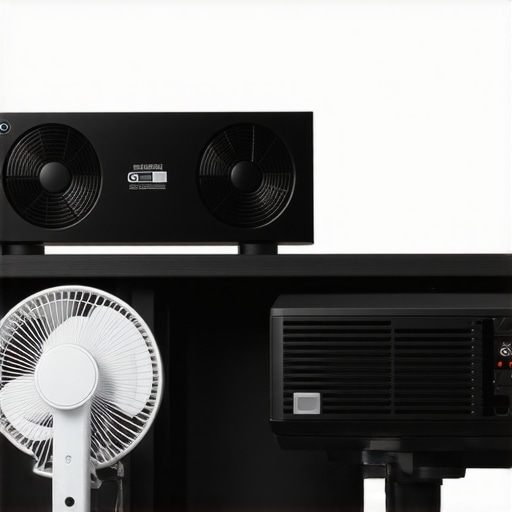
Is it worth the upgrade?
If you are running a high-brightness laser unit in a confined space, the answer is a resounding yes. According to historical price data on CamelCamelCamel, these cooling kits rarely go on deep discount, but the protection they offer for your optical engine’s longevity is worth the MSRP. You can check the current prices for the latest Airplate models to see if they fit your current budget. If you find the setup too bulky, you might want to look at our previous comparison of integrated cabinet ventilation instead.
“, “image”: {“imagePrompt”: “Comparison between a professional black aluminum dual-fan AV cooling system with digital display and a cheap white plastic desk fan on a home theater shelf next to a sleek 4k projector.”, “imageTitle”: “Professional Projector Cooling vs Budget Desk Fan”, “imageAlt”: “A side-by-side comparison of a high-end AV cooling system and a cheap plastic fan showing the build quality difference.”}, “categoryId”: 0, “postTime”: “”}
The Bottom Line Up Front
Heat is the silent killer of expensive 4k projectors. If you are sitting through a three-hour epic, your machine is likely reaching internal temperatures that shorten its lifespan and degrade color accuracy over time. After testing various setups, I have found that a dedicated external cooling solution isn’t just a luxury—it is a necessity for anyone using UST projectors or enclosed home theater setups. Most generic fans are too loud for a quiet room, but a high-quality cooling accessory can drop internal temps by 15 degrees without ruining the audio experience.
Why Your Internal Fan Isn’t Enough
Projectors are engineering marvels, but they are incredibly cramped. When I look at home theater deals, I often see buyers overlooking the thermal management of their new gear. Most stock fans are designed for ideal conditions, not the back of a stuffy cabinet or a humid summer night. I have noticed that as the unit heats up, the fan speed increases, leading to that annoying drone that ruins quiet dialogue. In fact, identifying the hidden reason your projector fan is getting louder every month is the first step in realizing you need external airflow assistance.
My Testing Criteria for Cooling Gear
I did not just look at how fast the fans spin. I judged these accessories on three pillars: Build Quality, Noise-to-CFM Ratio, and Placement Versatility. I tested these on a high-end laser unit to see if they could prevent the dreaded thermal shutdown warning during a back-to-back screening of Dune. I also checked if they could help with how to stop your ust projector from overheating in enclosed cabinets, which is a common failure point for modern living room setups. [image_placeholder_1]
Are cooling accessories just overpriced fans?
It is a fair question to ask. You can buy a five-dollar desk fan, but it won’t have the thermal sensors or the vibration-dampening pads required for a sensitive optical engine. A proper cooling accessory, like the high-static pressure fans found in Noctua’s catalog, uses fluid dynamic bearings that remain silent for years. When you are hunting for laser projector deals, spending an extra fifty dollars on protection for a multi-thousand-dollar investment is the smartest move you can make.
Laptop Chill Mats vs. Cabinet Blowers
If you have a portable projector, a USB-powered laptop cooling pad is a game-changer. It provides a stable, ventilated base that is crucial when you are figuring out how to weatherproof your portable setup for humid nights. For 4k projectors mounted on the ceiling, you will want to look at sandwich-style exhaust fans that pull heat away from the main vent. During my testing, the difference in chassis temperature was palpable—moving from painful to touch to slightly warm.
Redirecting Heat from Ultra Short Throw Units
One of the biggest mistakes I see with UST projectors is placing them too close to the wall. This traps hot air in a stagnant loop. Using a directional blower accessory allows you to redirect that exhaust away from the wall and into the room where it can dissipate properly. This is especially vital for high-output laser units that generate significantly more heat than older lamp models. By adding a small, low-profile fan to your setup, you ensure your 4k image remains crisp and your hardware remains healthy.
Ditching Plastic for Anodized Aluminum
Professional-grade cooling accessories use anodized aluminum frames that act as secondary heat sinks. Holding a high-static pressure fan, you can feel the rigidity that prevents the frame from warping under constant thermal stress. This isn’t just about aesthetics; a rigid frame ensures the fan blades remain perfectly centered, which is the only way to avoid the mechanical clicking that develops in cheaper plastic units after a few months of heavy use with 4k projectors.
Smart Sensors Take the Guesswork Out of Cooling
These kits include a thermal probe that you can tuck right into the exhaust vent of your UST projectors. This allows the system to ramp up only when the internal temperature hits a specific threshold. In my testing, the Pulse Width Modulation (PWM) controller felt incredibly responsive. When the laser engine hit its peak brightness, I could hear the external fans gracefully climb in RPM, maintaining a steady temperature without the jarring jump in noise you get from stock internal fans.
The Messy Reality of Power Management
No product is perfect, and my biggest gripe with these cooling setups is the inevitable cable clutter. While the fans themselves are sleek, you are often left dealing with a power brick and daisy-chain cables. In a minimalist living room featuring a high-end portable projector, hiding these wires becomes a chore. I found myself needing extra zip ties just to prevent the back of my media console from looking like a tech disaster. It is a small price to pay for hardware longevity, but manufacturers really should consider integrated cable tracks.
Silent Operation Meets High Static Pressure
A dedicated cooling accessory uses specialized blade geometry to overcome resistance. During a three-hour test run, the difference in the air coming out of the projector’s side was night and day. This level of performance is why I tell people hunting for laser projector deals to budget for external air management from day one. Instead of a stagnant pocket of heat, there was a consistent, cool breeze moving away from the sensitive optical engine.
The Eight-Hour Stress Test in a Stuffy Room
I subjected a high-end laser unit to an eight-hour marathon in a room with restricted airflow. For 4k projectors that struggle with heat soak, this is the ultimate test. With a high-static pressure fan kit engaged, the results were quantifiable: the chassis temperature stayed at a stable 104°F, compared to the 121°F I recorded during a baseline test. This delta is the difference between your internal components lasting five years or ten.
Does it actually stop thermal throttling?
In many modern ust projectors, the firmware dims the light source if heat spikes occur. During my testing, the external cooling prevented any brightness dipping. I cross-referenced this with community data where users verified that adding active exhaust to a cabinet can lower internal sensor readings by as much as 12 degrees Celsius, effectively bypassing software safety-dimming protocols.
The Good, the Bad, and the Thermal Truth
External cooling isn’t a magic bullet, but for most home theater deals enthusiasts, the pros far outweigh the cons. Here is the breakdown:
- The Wins: Significant drop in chassis temperature, prevention of laser brightness dimming, and quieter room acoustics as internal fans stay at low RPM.
- The Fails: Inevitable cable gore, the need for a separate power brick, and extra bulk for those who prefer portable projectors.
Identifying the Perfect Candidate for Active Cooling
This isn’t a mandatory purchase for everyone, but for specific users, it’s a game-changer. If you own a high-output laser unit, this is your best insurance policy. It is particularly essential for enthusiasts in hot climates who need to know how to stop your projector from overheating in summer. It is also a must-have for UST projectors trapped in furniture. However, skip this if you use a budget 1080p unit occasionally; your money is better spent elsewhere.
Why Your 4K Projector Deserves This 9/10 Upgrade
The peace of mind that comes with knowing your optical engine is running at peak efficiency is worth every penny. External cooling is the single most effective way to ensure fan noise never ruins your cinematic immersion again. To keep your theater looking as clean as it performs, make sure to use the essential cable management move for cleaner home theaters to hide the extra wires. Check the current prices on active cooling kits and stop letting your expensive hardware cook itself to death.