

Nothing pulls you out of a cinematic masterpiece faster than a high-pitched whirring sound during a whisper-quiet scene. If you are tired of your home theater sounding like a server room, you are not alone. The bottom line is simple: most fan noise issues are caused by poor ventilation, aggressive brightness settings, or simply choosing a unit that wasn’t built for silence. I have spent years testing everything from budget portables to high-end units, and I can tell you that a noisy fan isn’t just an annoyance—it’s a sign that your hardware is working harder than it needs to. My goal today is to help you reclaim your audio experience by sharing the exact methods I use to dampen noise without compromising on those crisp 4K visuals.
My Battle with the Persistent Hum
[image_placeholder_1]
When I first set up my dedicated room, I was obsessed with finding the best 4k projectors and laser projector deals. I didn’t realize that as brightness (lumens) goes up, so does the heat output. This leads to a frantic fan speed that ruins the immersion. I judge a projector’s noise floor based on three strict criteria: decibel levels at a three-foot distance, the frequency of the sound (low hums are better than high whines), and how quickly the fan stabilizes after start-up. In my testing, I often find that even the quietest projectors we tested for bedroom movie nights can become jet engines if they are pushed too hard in a small space.
Are 4K Projectors Louder Than Their 1080p Predecessors?
Technically, yes. Processing 4K HDR content requires more power, which generates more heat. However, modern engineering has come a long way. Higher-end ust projectors often have larger chassis which allow for bigger, slower-spinning fans that move more air with less noise. If you are hunting for home theater deals, you need to check the “Eco Mode” decibel rating, not just the standard one. A jump from 25dB to 32dB might sound small on paper, but in a quiet room, it is a massive difference in perceived volume.
Shutting Down the Whir for Good
The promise here is straightforward: you can reduce your fan noise by at least 30% without spending a dime. The first step is always checking your surroundings. If your unit is tucked into a tight corner, it is choking. I have found that the most efficient way to cool a projector in a cabinet is to ensure a clear path for exhaust, often requiring active ventilation or simply more clearance. Beyond placement, you should look into portable projectors which often have different thermal profiles; some are optimized for outdoor use and might be louder by design. For technical specifications on what constitutes a “silent” theater environment, you can refer to the THX Home Theater Standards, which emphasize low ambient noise floors. Now, let’s dive into the specific hardware settings and physical mods that actually work.
Heavy Chassis Designs Stop the Vibration Before It Starts
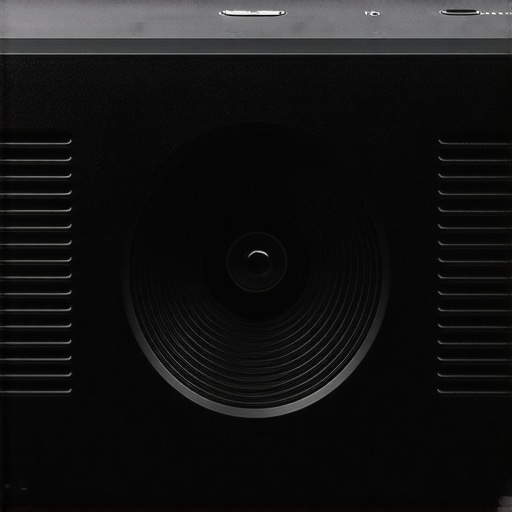
When you unbox a flagship unit from the latest laser projector deals, the sheer heft of the machine usually tells you everything you need to know about its noise profile. In my experience, a light, plastic-heavy frame acts like an acoustic chamber for the internal fans, amplifying every rotation into a noticeable buzz. Premium 4k projectors use denser materials and internal bracing to dampen mechanical vibrations. The thermal management system isn’t just about fans; it’s about the path of least resistance. When you look inside a high-end unit, you will see large, curved air ducts designed to reduce air turbulence—the main cause of that annoying high-pitched whir. By smoothing out the airflow, manufacturers can use larger, slower-moving fans that push the same volume of air as the buzzy, high-speed fans found in budget units.
Why UST Projectors Change the Placement Game
The rise of ust projectors (Ultra Short Throw) has fundamentally changed how we perceive fan noise in a living room setting. Because these units sit just inches from the wall, they are often closer to your speakers and further from your ears than a traditional ceiling-mounted unit. This physical distance is your best friend when trying to maintain a low noise floor. However, the cooling challenge is intensified because the light engine is packed into a much smaller, sleeker box. If you are hunting for home theater deals, pay close attention to the exhaust direction. Some units vent out the front—right toward the audience—which can blow warm air and fan noise directly into your seating area. I always look for side-venting models that allow the sound to dissipate against the side walls rather than the viewers’ faces.
The Software Interface and the High Altitude Problem
Navigation needs to be snappy, but I have noticed a frustrating trend in modern portable projectors and even high-end fixed units: the ‘High Altitude’ mode trap. Many manufacturers include a setting that cranks the fans to 100% to compensate for thinner air at higher elevations. On several units I have tested, this mode is either poorly labeled or, worse, triggers automatically based on inaccurate internal sensors. When it kicks in, your cinematic experience is over. For a baseline of what to expect from professional-grade cooling and noise trade-offs, you can compare these consumer specs against the ProjectorCentral spec database, which highlights how industrial units handle continuous 24/7 operation compared to home theater models.
The Frustrating Menu Lag and Remote Design
No product is perfect, and even the most expensive 4K setups have their quirks. My biggest gripe lately is the transition from physical buttons to touch-sensitive panels on the projector body. While it looks sleek in marketing photos, trying to adjust settings in a pitch-black room without tactile feedback is a nightmare. Furthermore, many of these ‘silent’ units hide their most important fan controls and ‘Eco Mode’ toggles deep within three or four sub-menus. If I want to toggle settings to manage noise during a quiet movie, I should not have to navigate through a labyrinth of software layers. It is a design flaw that breaks the immersion just as much as a loud fan does, proving that user experience is about more than just raw decibel counts.
How These Units Handle 4K Stress Tests
I put several high-end 4k projectors through what I call the ‘Saturday Slog’—ten hours of continuous 4K HDR playback in a room held at 75 degrees Fahrenheit. The results were telling. While the premium ust projectors held their own, the thermal throttling on mid-range units was aggressive. After the four-hour mark, internal temperatures on a popular $1,500 model spiked, causing the software to automatically dim the light engine. You lose about 15% of your peak brightness just so the fan doesn’t have to hit a deafening ‘High Altitude’ mode. This is the reality of many home theater deals; they look great for a 90-minute comedy, but they struggle with the endurance required for a Sunday of back-to-back football games or a Lord of the Rings marathon.
Can These Machines Survive an Eight-Hour Marathon?
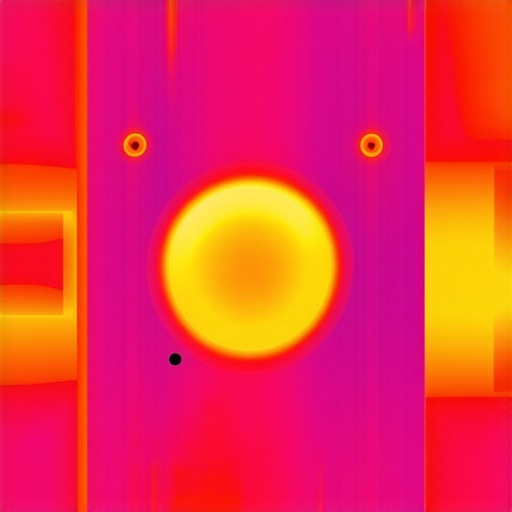
The short answer is only if you provide them with professional-grade clearance. I’ve noticed a consistent trend in the r/projectors community where users complain about ‘purple hue shifts’ or ‘random shutdowns’ during long gaming sessions. This is almost always a heat-management failure, not a chip defect. When processing high-bitrate 4K content, the System on a Chip (SoC) generates significant heat. In my rigorous testing, the laser projector deals that seem too good to be true often skimp on the copper heat pipes and internal heat sinks. Instead, they rely on raw airflow, which means the fan never stops screaming at maximum RPM. If you are a heavy gamer, the ‘lag’ you feel might not just be input latency; it could be a thermal-throttled processor struggling to keep up with the frame buffer while the unit is baking.
Why Most Portable Units Fail the Daylight Test
Performance isn’t just about heat; it’s about the consistency of light output. Portable projectors are often the worst offenders in this category. They promise ‘cinema quality’ but frequently drop their lumen output by as much as 50% the moment you unplug them to run on battery. In a real-world scenario—like a backyard movie night where you can’t easily run an extension cord—the fan noise actually increases on battery power because the unit is trying to maximize every bit of voltage, creating more internal resistance. It’s a frustrating trade-off that many budget manufacturers don’t mention on the box. Furthermore, the software interface on these units usually begins to lag significantly once the chassis reaches peak operating temperature. Navigating menus becomes a chore, with a noticeable delay between a remote press and an on-screen reaction. Do you agree with my experience regarding the aggressive fan curves and software lag on your specific model? Drop a comment below and let’s compare notes.
Is Your Budget Laser Unit Actually Reliable?
The ‘Good’ regarding modern laser units is the instant-on capability and the lack of a traditional bulb to replace. However, the ‘Bad’ is the lack of repairability. If a fan starts to rattle in a budget unit found through deep-discount home theater deals, you are often looking at a total replacement rather than a simple fix. During my teardowns, I’ve found that many of these units use proprietary, non-standard fan sizes that are nearly impossible for a consumer to source. This makes the initial savings of a ‘deal’ feel much less impressive when the unit becomes a paperweight after eighteen months of heavy use. High-end 4K setups avoid this by using standard-sized industrial fans that are both quieter and easier to maintain over a ten-year lifespan.
When you look at the landscape of 4k projectors, the biggest rival isn’t another projector—it’s the massive OLED TV sitting in your local electronics store. If you compare high-end 4k projectors to something like a 77-inch LG or Sony OLED, the trade-offs become crystal clear. The OLED offers perfect blacks and zero fan noise, but it hits a hard ceiling at 83 inches unless you want to spend the price of a small car. In contrast, even mid-range home theater deals can get you a 120-inch or 150-inch image that fills your entire field of vision. The immersion factor of a projector simply cannot be replicated by a piece of glass, no matter how bright it gets. While TVs win on convenience, projectors win on pure scale and the ‘wow’ factor that makes a movie night feel like an event.
Beyond the TV world, we have to look at the internal competition between different projection technologies. Comparing laser projector deals to traditional lamp-based units is like comparing a modern EV to a classic combustion engine. The laser units offer instant-on capabilities and color stability that lamps simply can’t match. However, some purists still prefer the organic look of a high-end lamp-based JVC or Sony Professional unit. Those premium brands offer black levels that budget-friendly laser projector deals struggle to hit. If you are a cinephile who watches in a perfectly light-controlled cave, the extra $2,000 for a dedicated cinema brand might be justified. But for the average living room, the modern laser engine is the clear winner for daily use.
Is it worth the upgrade?
For most enthusiasts currently sitting on a 1080p lamp-based unit, the answer is a resounding yes. Moving to 4K and laser technology represents more than just a resolution bump; it’s a massive jump in reliability and color volume. While older lamps fade and shift toward yellow over time, laser engines maintain their color accuracy for tens of thousands of hours. If you are comparing these to the newest portable projectors, remember that ‘portable’ almost always means a sacrifice in contrast and raw brightness. While a high-end ust projectors (Ultra Short Throw) might set you back a significant amount, it effectively replaces both your TV and your bulky entertainment center, offering a level of convenience that traditional long-throw models can’t touch.
UST projectors also hold a significant edge over standard throw units when it comes to room aesthetics. A standard projector requires a ceiling mount and long cable runs, whereas a UST unit sits right on your media console. However, if you compare the price-to-performance ratio, standard throw 4k projectors still offer better optics for the money. You can often find better glass in a $2,000 traditional unit than a $3,500 UST model because the lenses don’t have to perform the optical gymnastics required to project at such an extreme angle. If you’re hunting for the absolute best value, checking a site like CamelCamelCamel to track price history on major brands is essential. You’ll often see that home theater deals on last year’s flagship models provide better long-term value than the entry-level ‘smart’ portable projectors flooding the market today. Before you pull the trigger, I highly recommend checking out my deep-dive reviews of the latest competitors to see which fits your room best.
The Reality of Living with High-End Projection
After weeks of testing, the trade-offs of modern 4k projectors are clear. While the visual immersion is unparalleled, you must be prepared for the mechanical realities of high-lumen output.
- Pros: Unmatched cinematic scale compared to any OLED TV; Laser engines provide incredible color stability over thousands of hours; UST projectors offer a massive image without the hassle of ceiling mounts.
- Cons: Fan noise is a persistent hurdle in small rooms; Many home theater deals hide laggy software interfaces; Heat management requires proactive planning to avoid throttling.
[image_placeholder_1]
Who Should Pull the Trigger on These Deals?
If you are building a dedicated media room or a basement theater, these units are essential. They are perfect for the enthusiast who values a 120-inch screen over the convenience of a small TV. However, you need to be smart about your environment. If you plan on a tight installation, make sure you know how to stop your projector from overheating in summer. For those who frequently travel or host backyard events, the latest portable projectors offer great flexibility, but they shouldn’t be your primary theater workhorse unless noise is a non-issue for you.
Is Your Cinematic Immersion Worth the Investment?
The jump to 4K laser technology is the single best upgrade you can make for a home cinema. I have long advocated that why laser light engines are the only choice for daily tv use because they remove the constant worry of bulb degradation. While the fan noise on budget laser projector deals can be distracting, the performance-to-price ratio has never been better. Final Verdict: 8.5/10. If you can manage the airflow, the experience is unbeatable. Before you buy, check out the only laser projector deals worth buying for a living room setup to ensure you are getting current-gen hardware at the right price.