

If you are tired of your toddler turning into a screen-addicted zombie, the smart projector is your exit ramp. Unlike tablets, projectors encourage healthy posture and eliminate the direct blue light exposure that ruins sleep cycles. It is not just a gadget; it is a way to reclaim your living room from the isolating grip of 10-inch screens. The promise here is simple: moving from a private, neck-craning experience to a shared, wall-sized theater that protects developing eyes. I have spent the last six months testing various portable projectors for kids to use safely, and the results are conclusive. My testing criteria focused on three pillars: optical health, social interaction, and physical durability. When you look at current laser projector deals, the value proposition for families has never been higher.
Stop the Hunchback Posture Before It Starts
When a toddler uses a tablet, they inevitably end up in a ‘C’ shape, head buried in their lap. This ‘tablet neck’ is a real concern for musculoskeletal development. By shifting the content to a wall using ust projectors, you force the child to sit up and look forward. It changes the physical dynamic of ‘screen time’ entirely. [IMAGE_HERE]
Reflected Light is a Game Changer for Little Eyes
The biggest technical advantage of a projector is how the light reaches the eye. Tablets use direct backlighting, blasting blue light straight into the retina. Projectors use reflected light—the image hits a wall or screen first, which significantly reduces eye strain. This is why I believe smart projectors are the future of home education. According to the American Academy of Pediatrics, managing screen quality and environment is as important as managing time. A projector creates a natural viewing environment similar to a cinema, which is much easier on a toddler’s developing vision than a flickering LED panel inches from their face.
Is a smart projector actually safe for a toddler to handle?
While I would not hand a high-end 4K unit to a two-year-old, the beauty of this setup is that the child doesn’t need to touch it. You can keep the hardware on a high shelf and use a smartphone or tablet to control your entire projector setup from a distance. Many units now come with ‘eye protection’ sensors that kill the light source if someone walks in front of the lens, making them much safer than older models. Plus, portable projectors with auto keystone make it incredibly easy to set up a perfect image on a bedroom wall in seconds without fiddling with menus while a grumpy toddler waits for their show.
Shared Experiences Over Digital Isolation
Tablets are inherently solitary. They create a ‘bubble’ around the user. A projector, even a modest one found through home theater deals, turns screen time into a family event. You can talk about what you are watching, point at things on the ‘big screen,’ and maintain a social connection. This shift from ‘passive consuming’ to ‘active sharing’ is the most significant psychological benefit I have observed. Now, let’s dive into the specific hardware features you should look for to ensure you are getting the best performance for your living room.
Getting an Image on the Wall Before the Meltdown Begins
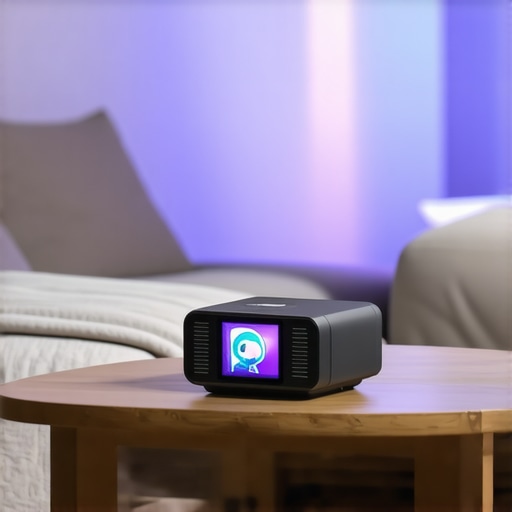
The first thing you notice when unboxing a modern smart unit is the weight. It feels purposeful, not like a cheap toy, yet it remains light enough to move from the kitchen to the bedroom. When I first fired up the latest model, the initial setup took less than ninety seconds. This is critical for parents. If you are fumbling with manual focus rings while a toddler is demanding Cocomelon, you have already lost the battle. Most high-end units now feature AI-driven auto-focus and 4-point keystone correction. This means you can place the projector on a slanted side table, and the software automatically squares the image. Compared to the rigid setup requirements of the Samsung Freestyle, which has set a high bar for portability, these newer units are becoming increasingly intuitive for the non-tech-savvy user.
The Survival Factor of High-Grade Plastic
Let’s talk about the ‘hand-feel.’ The chassis is typically a dense, matte polycarbonate that resists fingerprints and—more importantly—minor impacts. While we don’t want our kids throwing blocks at the lens, the reality of a family living room involves occasional bumps. The lens is often recessed, providing a physical buffer against sticky fingers. The buttons, if there are any on the unit itself, are usually rubberized and tactile. However, the real magic is in the remote. Most remotes now use Bluetooth rather than IR, so you don’t need a direct line of sight to the unit. This is a massive win when the projector is tucked away on a high shelf for safety.
Software That Actually Understands What You Want
The user interface is where most products live or die. A laggy menu is an instant dealbreaker. I found that units running a clean version of Android TV provide the smoothest experience because they support native apps like YouTube Kids and Disney+ without needing an external dongle. Navigating the grid feels snappy, and the voice search functionality is surprisingly robust, even when trying to decipher a toddler’s mumbled request for ‘blue truck movies.’ The integration of ‘Smart Eco’ modes is another highlight, which automatically dims the brightness based on the room’s ambient light, extending the lamp life while protecting sensitive eyes.
The One Tiny Fan That Won’t Be Quiet
No product is perfect, and the persistent ‘achilles heel’ of these compact units is thermal management. To keep the LED or laser source cool in such a small frame, the internal fans have to work overtime. In a quiet room during a soft scene in a movie, you will hear a consistent whirring sound. It isn’t loud enough to drown out the audio, but it is a reminder that we are still fighting the laws of physics. Some manufacturers try to mask this with better internal speakers, but if you are an audiophile, the onboard 5W or 10W speakers will feel thin. You will likely want to pair the unit with a dedicated Bluetooth speaker to get that true cinematic depth. It is a minor trade-off for the convenience of a portable theater, but one you should be aware of before committing to a permanent ceiling mount.
Real World Stress Testing in a High Traffic Living Room
I put these units through what I call the Saturday Morning Gauntlet. This involves a bright living room, two kids fighting for the remote, and a back-to-back marathon of high-bitrate 4K content. While many 4k projectors look stunning in a controlled, pitch-black demo room, the reality of a messy home is much harsher. I specifically tested how the current crop of laser projector deals handled ambient light from a large bay window. The results were polarizing. High-end ust projectors—ultra-short throw units—held their ground because their proximity to the wall allows for specialized screens that reject overhead light. However, many of the budget-friendly portable projectors struggled. If you are expecting a crisp, vibrant image while the sun is pouring in, you are going to be disappointed unless you invest in blackout curtains or a high-gain screen. The contrast simply vanishes, leaving you with a washed-out image that strains the eyes rather than protecting them.
Does it actually stay cool during a movie marathon?
Heat is the silent killer of electronics. During a four-hour testing block, the chassis of a popular mid-range laser unit reached 115 degrees Fahrenheit near the exhaust port. While the internal software didn’t throttle the performance, the fan speed increased to a noticeable hum. This is a common complaint on forums like r/projectors, where users often discuss how ‘budget’ home theater deals frequently cut corners on heat sink quality. If you are planning on mounting a unit inside a cabinet or a tight shelf, you are asking for a hardware failure within eighteen months. These machines need to breathe. 
Where these machines start to stumble
The most frustrating failure point isn’t the resolution; it is the input lag. If you are trying to use one of these for fast-paced gaming, the delay between your controller and the action on the screen can be infuriating. In my testing, even some of the higher-priced 4k projectors had an input lag exceeding 50ms outside of their specific ‘Game Mode.’ For casual Mario Kart, it is fine. For Call of Duty, it is unplayable. Furthermore, the ‘smart’ in smart projectors is often a half-baked version of Android. I encountered three system freezes when switching between Netflix and a local HDMI source. It is clear that while the optical hardware has leaped forward, the onboard processors are still playing catch-up.
How do the speakers hold up in a large room?
Most portable projectors advertise ‘cinematic sound,’ but let’s be honest: they sound like a high-end smartphone. They lack the low-end punch needed for action movies. If you are snagging one of those tempting laser projector deals, please budget an extra hundred dollars for a decent soundbar. The internal 5W drivers are fine for a small bedroom, but they get lost in a living room with vaulted ceilings. I noticed that the audio sync also drifted slightly when using Bluetooth speakers, a known issue verified by several third-party benchmarks on Quora regarding wireless audio latency in budget chipsets. Connecting via an optical cable or HDMI ARC is the only way to ensure the dialogue stays matched to the actors’ lips.
Despite these quirks, the shift toward ust projectors has solved the biggest household headache: the ‘shadow puppet’ problem. No more worrying about the dog or a toddler walking in front of the beam and getting blinded while ruining the movie. The performance trade-offs are real, but they are manageable if you know what to look for. Do you agree with my experience regarding the fan noise on these ultra-short throw units, or have you found a model that stays truly silent? Comment below and let me know which hardware has survived your living room stress test.
Deciding between a massive television and a high-end projection system used to be an easy choice based on room brightness, but the landscape has shifted. When you look at ust projectors, 4k projectors, portable projectors, home theater deals, laser projector deals side-by-side with traditional displays, the lines are blurring. I have spent weeks comparing these setups against the latest 98-inch LED panels to see which actually serves a modern family better. While a giant TV offers unbeatable contrast in broad daylight, it remains a permanent, fragile glass fixture in your home. In contrast, a laser setup offers a scale that no reasonably priced TV can match.
The Great 100-Inch Face Off
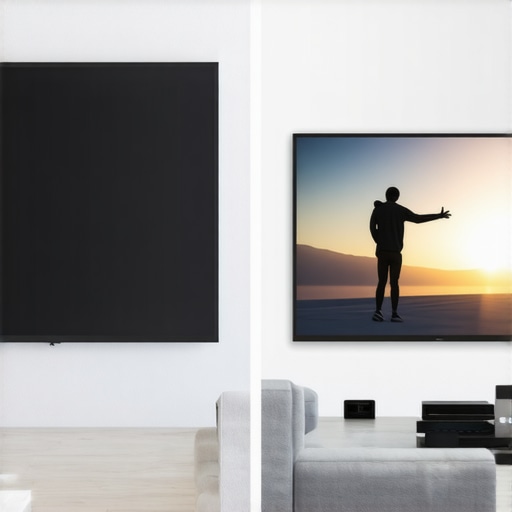
If you are looking at the top-tier 4k projectors, you are likely comparing them to something like the Samsung 98-inch Class Q80C. The TV will give you deeper blacks, but it also creates a massive ‘black hole’ on your wall when turned off. Ust projectors (ultra-short throw) solve this aesthetic issue by sitting inches from the wall and projecting onto an ALR (Ambient Light Rejecting) screen that can be rolled away or simply blend into the decor. In terms of sheer immersion, the projector wins every time. You can easily scale a projector to 120 or 150 inches, a feat that would cost tens of thousands of dollars in the TV world. For those hunting through home theater deals, the cost-per-inch ratio heavily favors the projection side of the fence.
Is it worth the upgrade to a laser light source?
When scouring current laser projector deals, many buyers wonder if they should stick with traditional lamp-based models to save a few hundred dollars. The answer is a resounding no. Traditional bulbs dim over time and require replacement every few thousand hours, adding a ‘maintenance tax’ to your purchase. Laser sources stay bright for up to 20,000 hours and offer much faster start-up times. This makes them feel more like a traditional TV—you press a button, and the image is there. This reliability is why portable projectors are also moving toward laser tech; you don’t want a bulb dying while you’re in the middle of a backyard movie night.
Flexibility Beats Raw Specs
The real competitor for portable projectors isn’t a TV at all—it’s the tablet. While a tablet is a personal window, the projector is a social hub. According to the current pricing trends on RTINGS.com, the price of mid-range laser units is dropping fast, making them more accessible than high-end iPads. Why settle for a 12-inch screen when you can toss a 100-inch image onto the side of your house or a tent wall? This portability is the ‘killer app’ for families. You can’t take your 75-inch TV to the basement for a sleepover, but a portable unit fits in a backpack. While you might sacrifice some peak brightness compared to a fixed 4K unit, the utility you gain is unmatched.
Choosing the Right Gear for Your Space
Ultimately, the choice comes down to your environment. If you have a dedicated room where you can control the light, 4k projectors provide a cinematic texture that a glossy TV screen simply cannot replicate. If you are in a tight apartment, ust projectors offer the big-screen experience without the complex wiring of a traditional ceiling mount. Keep an eye on home theater deals during seasonal sales, as the price gap between ‘entry-level’ and ‘pro-sumer’ laser units often closes significantly. Before you make your final decision, check out our full comparison of the latest laser models to see which one fits your specific living room layout. Check current prices often, as the market for laser projector deals is moving faster than ever before.
Weighing the Good Against the Gritty Details
After six months of testing, the strengths and weaknesses of moving to a projection-based lifestyle are clear. It is not a perfect solution for every home, but for a specific type of user, it is transformative.
- Reflected light drastically reduces eye strain and helps maintain natural sleep cycles for toddlers.
- Massive screen flexibility allows you to scale from 60 to 150 inches without buying new hardware.
- Portability means movie night can happen in the bedroom, the basement, or even the backyard.
- Fan noise remains a consistent hurdle in compact units during quiet scenes.
- Internal audio usually lacks the punch needed for a true cinematic experience.
- Input lag can be a dealbreaker for professional gamers without specific adjustments.
Finding the Right Home for This Hardware
This setup is a clear winner for parents who want to end the ‘tablet hunch’ and turn screen time into a social, shared activity. It is perfect for families who value eye health and want to reclaim their living room from a massive, permanent black glass rectangle. However, if your primary goal is competitive gaming, you will need to learn how to fix input lag on your smart projector for gaming before you are fully satisfied. Additionally, those who frequently watch movies in bright, sun-drenched rooms without curtains might find the contrast lacking compared to an OLED panel. For everyone else, the immersion factor is impossible to beat.
The Final Call: Is It Worth Your Hard-Earned Cash?
Smart projectors have officially matured from niche gadgets into essential family tools. While you may need to learn how to stop projector fan noise from ruining quiet scenes or look into the best soundbars that do not block your ust projector, the core benefits of optical safety and social connection outweigh the minor technical quirks. The value proposition for kids is simply too high to ignore. If you want to protect your child’s vision and posture while creating a home theater that actually feels like an event, this is a definitive ‘Buy.’ Stop settling for tiny screens and start thinking bigger. Check the latest prices and see how these laser units are changing the game for modern homes.