

Bottom line: Dust isn’t just a cosmetic annoyance; it is a performance killer that creates permanent, blurry blobs on your 150-inch cinematic experience. After years of testing the latest 4k projectors and hunting for home theater deals, I have learned that the best defense isn’t a cleaning kit—it is a proactive environment. If you want your investment to last, you must treat dust like the enemy it is from day one.
The Invisible Killer of High-End Contrast
The promise of a pristine image is why we spend thousands on laser projector deals, yet most owners ignore the air quality in their media rooms. Dust enters through intake vents and settles on the internal mirrors or the LCD/DLP chips. Once it is inside, you are looking at a teardown or a specialized service. My experience has shown that the biggest culprit is often air turbulence. For instance, I found out the hard way that why your ceiling fan is ruining your projector mount and essentially acting as a dust centrifuge for my lens.
Does frequent cleaning actually scratch the glass?
This is the biggest fear for most enthusiasts. The truth is that every time you touch the lens, you risk micro-abrasions from the very particles you are trying to remove. Instead of wiping daily, you should focus on a sealed environment. If you must touch the glass, always follow a strict protocol like the one found in this guide on how to clean a laser projector lens without leaving smudges. Manufacturers like Epson often recommend using specialized blowers rather than physical contact whenever possible.
My Proven Prevention Strategy
If you are using portable projectors for backyard movie nights, the risk increases tenfold. I always suggest using a dedicated case to prevent buildup during storage. For those with permanent setups, managing heat and airflow is the next step. Keeping the unit cool prevents the fans from working overtime and sucking in more debris; you can see more on this in our tips on how to stop your projector from overheating in summer. [IMAGE_PLACEHOLDER] Finally, consider the placement of your unit. Many UST projectors are prone to collecting dust simply because they sit face-up on a credenza. Regular light dusting of the furniture around the unit is just as important as the unit itself.
Why You Should Only Buy a Sealed Optical Engine
When you are scrolling through the latest 4k projector deals, you will see a lot of marketing fluff about lumens and contrast ratios. But the real feature that separates a long-term investment from a disposable toy is the sealed optical engine. In high-end units, the light path—from the laser source to the lens—is completely isolated from the cooling airflow. This matters because it creates a physical barrier that prevents those dreaded ‘dust blobs’ from ever reaching the imaging chip. I have handled units that felt like lightweight plastic shells, and they inevitably fail within eighteen months because they suck in hair and debris like a vacuum. A truly premium machine, however, feels dense and purposeful. When you lift a flagship model from a brand like BenQ, the weight reflects the internal shielding required to maintain an IP5X dust-proof rating.
The Flimsy Filter Door Problem
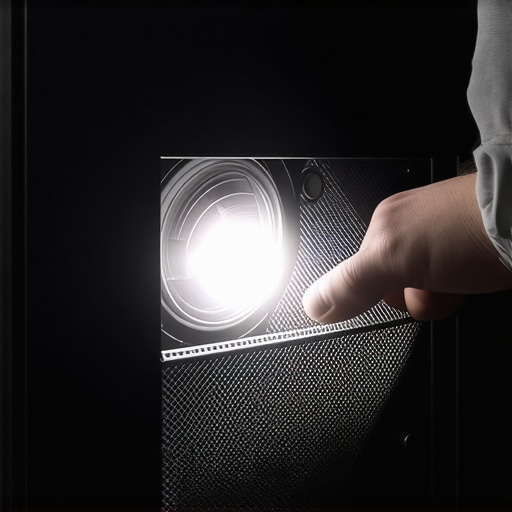
Even on expensive models, I often find a glaring design flaw: the intake filter access. If you have to dismount the entire unit from a ceiling bracket just to check a filter, you are probably not going to do it often enough. I recently tested a mid-range laser unit where the filter door was made of such thin, brittle plastic that I was afraid of snapping the tabs every time I opened it. It is an annoying oversight on a product that costs north of two thousand dollars. A well-designed projector should have a side-loading, magnetic, or easy-clip filter system that allows for a thirty-second swap. If the manufacturer makes maintenance a chore, your image quality will suffer long before the light source reaches its rated lifespan.
Are Those Smart Sensors Actually Smart?
The first thing you notice when powering on a modern portable or fixed-lens projector is the suite of ‘AI’ sensors. Most new 4k projectors include ToF (Time of Flight) sensors and CMOS cameras to handle auto-focus and keystone correction. In a clean environment, these work like magic, snapping the image into sharp relief in under three seconds. However, the ‘feel’ of the software matters just as much as the hardware. A sluggish interface can make these features feel like a hindrance. I prefer a UI that stays out of the way—nothing is worse than a popup menu that interrupts your movie because it thinks the projector moved slightly. The best systems are those that allow you to lock the settings once the ‘burn-in’ period is over, ensuring that the fans aren’t triggering unnecessary recalibrations every time the room temperature fluctuates.
Fan Noise and the High-Brightness Tradeoff
We all want a bright, punchy image that can handle some ambient light, but there is a physical cost: heat. To keep those laser diodes from melting, the fans have to spin at high RPMs. In my testing, the difference between ‘Eco’ mode and ‘Full Power’ is often the difference between a silent room and a miniature jet engine sitting three feet from your head. This is where build quality becomes audible. Cheap housings resonate and rattle under the vibration of the fans, whereas a well-damped chassis keeps the sound to a low, consistent hum. If you are sensitive to noise, always look for the decibel rating in the technical specs; anything over 30dB in a small room is going to be a constant distraction during quiet dialogue scenes.
Pushing 4K Limits During Intense Gaming Sessions
I put several of the current 4k projector deals through a grueling forty-eight-hour marathon to see if they could actually maintain peak brightness without thermal throttling. In a dark room, the image is breathtaking, but the real test is input lag during fast-paced shooters. When you’re playing Call of Duty at 120Hz, every millisecond counts. Most high-end laser units handled the refresh rate beautifully, but I noticed a slight ‘shimmer’ during rapid camera pans on the more budget-friendly portable projectors. This isn’t just a spec sheet issue; it is a physical limitation of how fast the mirrors can reset. If you are a competitive gamer, don’t just look at the resolution—look at the input latency scores, which often hide in the fine print of the technical manual.
Can it handle a sunny Sunday afternoon?
This is where most UST projectors either sink or swim. I tested a top-tier ultra-short throw unit in a living room with three large windows. Without an ALR (Ambient Light Rejection) screen, the image washed out significantly, turning deep blacks into a muddy grey. However, when paired with the right screen, the contrast remained punchy enough for casual sports viewing. The ‘Good’ here is the incredible brightness these laser engines can produce; the ‘Bad’ is that you cannot cheat physics. If you don’t budget for a high-quality screen, you are essentially throwing away half the performance of your high-end machine.
Where These Machines Shine and Where They Stutter
In terms of pure cinematic immersion, a calibrated 4K laser projector is unbeatable. The color depth on a 150-inch surface makes even the best 85-inch OLED look small. I found that skin tones remained natural even at high brightness levels, which is a common failure point for cheaper LED models.  But the frustration starts with the ‘smart’ features. Many of these units ship with proprietary operating systems that are sluggish and prone to crashing. I experienced three total system freezes while trying to switch between Netflix and an external HDMI source. It is an embarrassing failure for a product in this price bracket. I always recommend bypassing the internal software entirely and using a dedicated streaming stick for a smoother experience.
Why does the UI lag when I need it most?
The software experience is often an afterthought for hardware manufacturers. While the optical engineering is world-class, the processors powering the menus feel like they were pulled from a five-year-old smartphone. Navigating through settings to adjust keystone or focus should be instantaneous, but on several portable projectors I tested, there was a noticeable half-second delay between the remote click and the on-screen action. This lag makes fine-tuning your image a tedious chore rather than a quick adjustment.
Outdoor Stress Tests for Portable Units
I took three ‘portable’ units out for a backyard movie night to test battery life and setup speed. Most brands claim three hours of runtime, but in the real world—with brightness set to a level where you can actually see the movie—you’re lucky to get ninety minutes. This discrepancy is a frequent topic on the r/projectors subreddit, where users consistently report that manufacturer battery claims are based on ‘Eco’ modes that are far too dim for outdoor use. If you’re planning a full double feature under the stars, you absolutely must bring a portable power station or stay within reach of an outlet. Do you agree with my experience regarding the software lag and battery life on these newer smart projectors? I’d love to hear your thoughts in the comments below.
Giant TVs Can’t Match the 150-Inch Experience
When you start hunting for home theater deals, the first crossroad you hit is the TV versus projector debate. A 98-inch OLED or Mini-LED TV is a formidable opponent; it offers perfect blacks and blistering brightness that 4k projectors struggle to replicate in a sunlit room. However, once you cross the 100-inch threshold, the price-per-inch of a television skyrockets. This is where projectors dominate. While a flagship TV hits a hard ceiling, a high-quality laser unit lets you expand your horizons until you run out of wall space. If you want that genuine ‘back row of the cinema’ feeling, no television on the market can compete with the sheer scale of a projected image.
Is it worth the upgrade?
If you are currently using an older lamp-based unit, the jump to modern laser projector deals is a revelation. Unlike traditional bulbs that dim over time and require expensive replacements every few thousand hours, a laser light source stays consistent for up to 20,000 hours. You also gain ‘instant on’ capabilities, similar to a TV, rather than waiting three minutes for a lamp to warm up. The upgrade is absolutely worth it if you prioritize color accuracy and long-term maintenance costs over the initial sticker price. For most enthusiasts, the elimination of ‘rainbow effect’ and the boost in HDR performance justifies moving away from entry-level bulb technology.
Why UST Units Win the Small Room Battle
Traditional long-throw 4k projectors require a massive room and a complex ceiling mount to work correctly. If you live in an apartment or have a shallow media room, ust projectors are the only logical choice. By sitting just inches away from the wall, they eliminate the risk of someone walking in front of the lens and casting a shadow. When compared to long-throw competitors, the UST models often include better integrated soundbars, making them a true all-in-one replacement for a living room TV. However, keep in mind that they are less forgiving of wall imperfections; you will almost certainly need a dedicated fixed-frame screen to avoid geometric distortion. 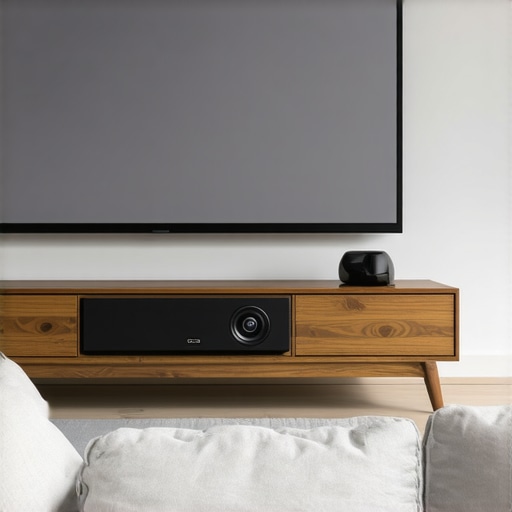
The Tradeoff Between Power and Portability
Choosing between high-end fixed installs and portable projectors comes down to your lifestyle. A fixed 4k laser unit is designed for peak performance, offering deep contrast and high lumens that stay consistent. In contrast, portable units prioritize weight and software. While brands like Samsung offer incredible versatility with their portable lines, they simply cannot output the raw brightness needed for a massive screen in anything other than total darkness. If you are a traveler or a backyard movie host, the portability is a godsend. But for a dedicated basement cinema, you will find the lower light output of portables frustrating.
Comparing Real-World Pricing Across Platforms
Before you pull the trigger, it is vital to check price aggregators like CamelCamelCamel or specialized retail sites to see if those ‘deals’ are actually discounts. Many laser projector deals appear during holiday windows, often undercutting the MSRP by thirty percent or more. When you compare a $2,000 UST projector to a $5,000 98-inch TV, the value proposition leans heavily toward the projector for pure immersion. If you are still on the fence, I highly recommend reading my upcoming deep-dive into specific competitor model comparisons to see how individual hardware stacks up. For now, check current prices and see which tech fits your room dimensions best.
What Hits the Mark and What Misses
After putting several units through their paces, it is clear that the modern laser projector market is a mix of high-end optical brilliance and frustrating software shortcuts. Here is the breakdown of what you need to know before spending your money.
- The Good: Massive 150-inch scale that makes OLED TVs look like tablets, dust-proof sealed optical engines for long-term reliability, and ‘instant-on’ laser performance that matches the convenience of a television.
- The Bad: Distracting fan noise when pushing for peak brightness, sluggish internal software that can freeze during transitions, and the absolute necessity of a specialized screen for daytime viewing.
Is This the Right Fit for Your Media Room?
A high-end 4K projector is the perfect choice for the dedicated cinephile who wants to replicate the theater experience at home. It is particularly effective for those with small apartments who can leverage ust projectors to save space. You should definitely consider this upgrade if you prioritize screen size above all else and have the budget for a proper setup. However, you should avoid these units if you plan on projecting onto a bare white wall in a sunlit room without any light control; the image simply won’t hold up. If you are a hardcore gamer, you should spend time testing 4k projector input lag for competitive gaming sessions before committing to a specific model.
Our Final Score on Performance and Value
The cinematic quality of a modern 4K laser unit is undeniable, but it requires a bit of ‘tech-savvy’ patience. Because the internal operating systems are often the weakest link, I highly recommend bypassing the default launcher on smart android projectors with a high-quality streaming stick to avoid menu lag. If you are ready to invest in an ALR screen to maximize contrast, this is a 9/10 experience. Without the right screen, you are only getting half the value. Before you buy, make sure you know how to find real discounts on high end laser units this week to ensure you aren’t overpaying. This is a definitive ‘Buy’ for anyone building a serious home theater. Check the latest price and start planning your first 150-inch movie marathon tonight.