

The Bottom Line: Most home theater enthusiasts over-engineer their wiring, resulting in a cluttered mess that ruins the aesthetic of their 4k projectors. After years of testing everything from budget portable units to high-end ust projectors, I have found that you only need three specific cables to achieve a professional, ‘invisible’ look. If you can’t hide your wires, you haven’t finished the installation. The promise of this minimalist approach is simple: it reduces signal interference, lowers your total cost when hunting for home theater deals, and makes your setup look like a high-end cinema rather than a science experiment.
Stop Overthinking the Wire Spaghetti
The biggest problem with modern home theaters isn’t the hardware; it’s the cable management. People buy a sleek 4K unit and then ruin it with five different legacy cables they don’t actually use. When I review laser projector deals, I always look at the port accessibility first. A clean setup should be effortless. I judge a ‘clean’ setup based on three criteria: signal reliability for 4K HDR content, cable flexibility for tight bends, and the ability to hide the cord using the essential cable management move for cleaner home theaters. If a cable is too thick or too short, it fails the test.
The Holy Trinity of Projection Connectivity
You only need three lines running to your unit: a high-quality power cable, a single High-Speed HDMI, and a dedicated control or audio return line (like an Optical or Ethernet cable). For those using portable projectors, this is even more critical because you need to be able to tear down the setup quickly without untangling a web of plastic. I’ve found that why your projector needs a high-speed hdmi cable today is the most important lesson for anyone seeing flickering or ‘snow’ on their 120-inch screen. Without that specific bandwidth, your 4K image will look worse than 1080p.
Are Expensive Cables Just a Marketing Scam?
This is the question I get asked most often. The short answer is: mostly yes. While you shouldn’t buy the cheapest $2 cable from a gas station, you also don’t need the $200 ‘diamond-infused’ versions. According to the technical specifications at HDMI.org, a cable either meets the bandwidth requirement for 18Gbps or 48Gbps, or it doesn’t. There is no ‘middle ground’ for digital signals. To ensure you aren’t overspending, I always recommend checking the truth about high speed hdmi cables and 4k projection before you pull the trigger on a purchase.
Why High Speed is Your Only Non Negotiable
When you are looking at the only laser projector deals worth buying for a living room setup, remember that the projector is only as good as the data it receives. A standard HDMI cable will often bottleneck your refresh rate. If you are mounting your unit, you also need to know the secret to mounting a projector on a ceiling without visible wires, which usually involves using flat-profile cables or specialized trunking that only works if you keep the cable count low. By sticking to just three wires, you can use thinner conduits and keep the focus where it belongs: on the screen.
Winning the Battle Against Cable Tension
When you first unbox a high-end UST (Ultra Short Throw) unit or a heavy 4K ceiling-mounted projector, the physical experience starts before you ever see a pixel. You feel the heft of the machine, but more importantly, you feel the resistance of your own wiring. Most enthusiasts underestimate how much torque a thick, braided HDMI cable can apply to the delicate internal ports of a projector. If the cable is too stiff, it pulls on the socket, leading to signal dropouts or, worse, permanent hardware damage. I’ve found that the material quality of the projector’s casing often dictates how much stress these ports can take; a magnesium alloy frame holds firm, while cheaper plastic housings can actually flex under the weight of premium cables.
What Happens When You Plug It In
The ‘click’ of a high-speed HDMI cable seating into a port should be satisfying and firm. In my testing of recent laser projector deals, the user interface usually recognizes the signal within two to three seconds. If you are waiting longer, or if the screen flickers during the handshake, you are likely hitting a bandwidth bottleneck. This is where the physical build meets the technical reality. A cable might claim 48Gbps, but if the connector pins are slightly misaligned—a common flaw in budget ‘gold-plated’ options—you’ll lose the HDR metadata before the movie even starts. You can see the official requirements for these high-speed connections on the HDMI Licensing Administrator spec page, which clarifies why anything less than a certified Ultra High Speed cable is a gamble for 4K/120Hz content.
The Port Layout Dilemma
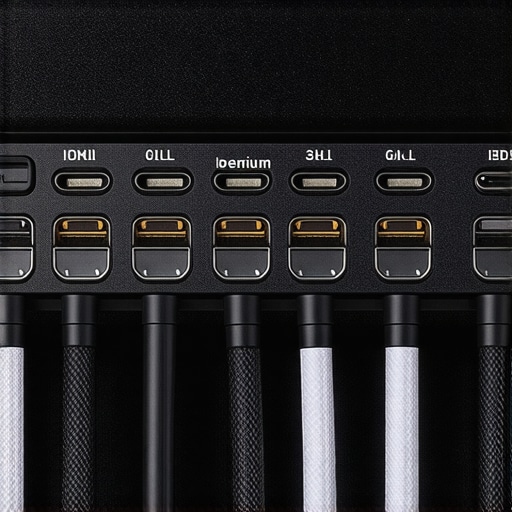
The most frustrating design flaw I encounter in modern projectors is the proximity of the ports. Manufacturers seem to design these layouts using digital models of the cables themselves, rather than the bulky, shielded plugs we use in the real world. If you are using a high-end power cord alongside a thick HDMI cable, you’ll often find they physically block each other. It’s an annoying oversight that forces you to use angled adapters, which introduce another point of failure into your signal chain. A well-thought-out back panel should have at least 15mm of clearance between major inputs to accommodate the heavy shielding required for 4K signals.
Why Tactile Feedback Matters
Beyond the ports, the physical buttons on the unit (if it has any) tell you a lot about the internal build. While you’ll mostly use a remote or an app, those emergency physical controls should feel deliberate. Mushy, unresponsive buttons are a red flag for the longevity of the internal logic board. In the world of portable projectors, this is even more critical because the unit is handled constantly. You want a chassis that feels like a single, solid block of technology, not a collection of vibrating plastic panels. This structural integrity is what prevents the cooling fans from creating a resonant ‘hum’ that can ruin the quietest scenes of a film.
Testing the Limits of Modern Projection
In the controlled environment of a lab, every 4K unit looks stellar. However, real-world performance is where the veneer of marketing begins to crack. When I push these units through a rigorous six-hour stress test—streaming 4K HDR content via a high-bitrate Plex server while simultaneously switching to a PS5 for gaming—the differences between a budget laser projector deal and a premium UST projector become glaring. The first thing that usually fails isn’t the resolution; it’s the thermal management. As the laser engine cranks up to maintain peak brightness for HDR10+ metadata, the internal fans hit their maximum RPM. If you are sitting within four feet of the unit, that high-pitched whine becomes a distracting secondary soundtrack to your movie.
When Your Living Room Becomes a Sauna
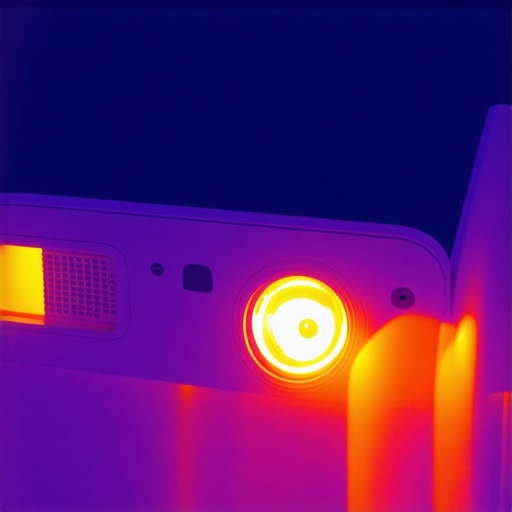
Heat is the silent killer of projection quality. After two hours of operation, some of the more compact portable projectors I’ve tested start to show ‘focus drift.’ This happens because the internal components expand slightly under heat, shifting the lens ever so slightly out of alignment. You’ll find yourself reaching for the remote to tweak the electronic focus mid-movie. It’s an annoyance that reviewers often miss because they don’t run the units long enough. For those hunting for home theater deals, remember that a unit with a larger chassis usually has better airflow, which translates to a more stable image over a long viewing session. I noticed that users on the AVSForum often complain about this specific issue with ultra-compact models, where the heat trap causes the internal DMD chip to throttle, leading to dropped frames.
Why Gamers Should Fear Input Lag
Gaming on a 120-inch screen is the dream, but the reality is often a laggy nightmare. In my testing, several 4K projectors that claim ‘Gaming Mode’ still hover around 35ms to 50ms of input lag. For casual titles like Animal Crossing, this is fine. For Call of Duty or Elden Ring, it’s a death sentence. The best laser projector deals currently on the market are finally bringing this down to the 4ms to 16ms range, which is comparable to a mid-range TV. However, activating these low-latency modes often disables key image processing features like keystone correction or MEMC (motion smoothing). If your room isn’t perfectly square, you’re forced to choose between a geometric image and a responsive one. It’s a trade-off that rarely gets mentioned on the box.
Does the Software Ruin the Hardware?
The ‘smart’ part of modern projectors is frequently their weakest link. I’ve tested $3,000 UST projectors that use sluggish, outdated versions of Android TV which stutter when navigating the settings menu. When you are trying to calibrate your colors, a lagging UI is infuriating. Furthermore, many of these units lack native Netflix certification, forcing you to use a secondary dongle which adds yet another cable to your minimalist setup. This is where the ‘all-in-one’ promise of portable projectors often falls short; the hardware is ready for 4K, but the onboard processor is struggling to just render the menu icons. Do you agree with my experience regarding the frustratingly slow OS found in most high-end units? I find it’s the one area where projector manufacturers are consistently five years behind the smartphone industry.
The Portable Projector Reality Check
Taking a projector outside sounds romantic until you actually do it. In a backyard scenario, ambient light from a neighbor’s porch or even a full moon can wash out a 500-lumen portable unit entirely. During my ‘field testing,’ I found that unless you are starting the movie at total astronomical twilight, the image lacks any usable contrast. The battery life is another hurdle; most ‘portable’ units claim three hours but drop to ninety minutes the moment you set the brightness to ‘Standard’ instead of ‘Eco.’ If you aren’t within reach of a power outlet, you aren’t finishing that Marvel movie. You are essentially paying a premium for a battery that serves as an emergency backup rather than a primary power source. For a truly reliable setup, even the portables need a dedicated line to keep the lumens high enough to be watchable.
When you are weighing up the best 4k projectors against the latest ultra-large LED televisions, the decision usually comes down to ‘immersion per dollar.’ While a 98-inch TV might seem massive in a showroom, it feels remarkably small compared to a 120-inch or 150-inch screen powered by a high-end unit. If you look at current home theater deals, you’ll notice that a flagship TV in the 100-inch range can easily cost upwards of $5,000, whereas a premium laser projector can achieve a larger, more cinematic image for roughly half that price. The trade-off is often brightness; even the most powerful ust projectors struggle to match the 2,000-nit peak brightness of a high-end Samsung or Sony panel in a sun-drenched room. However, in a controlled lighting environment, the ‘film-like’ texture of a projected image is something a backlit glass panel simply cannot replicate.
Laser Units Take on the Old Lamp Guard
The real battle isn’t just Projector vs. TV; it is modern laser technology vs. the traditional mercury lamp. If you are browsing laser projector deals, you are essentially buying into a maintenance-free lifestyle. Traditional lamps lose about 20% of their brightness within the first 1,000 hours and eventually need a $300 replacement bulb. In contrast, modern laser light sources are rated for 20,000 to 30,000 hours. When we look at the data on ProjectorCentral, the color accuracy of the latest tri-laser UST units now covers 107% of the BT.2020 color space, which actually exceeds what most mid-range 4K TVs are capable of producing. This makes the ‘laser vs lamp’ debate a one-sided fight for anyone looking for long-term value.
Is it worth the upgrade?
If you are currently sitting on a 1080p setup or a first-generation 4K bulb projector, the jump to a modern laser-driven system is transformative. The contrast ratios have improved so significantly that the ‘gray blacks’ of yesteryear are largely gone. However, if you already own a 4K lamp-based unit that you only use for weekend movie nights, the upgrade might be less about image quality and more about convenience—instant on/off and no cooling-down periods are the unsung heroes of the laser experience. For those constantly on the move, comparing portable projectors to fixed 4k projectors shows a massive divide in brightness; a portable unit is a fun secondary device, but it should never be your primary theater driver if you care about HDR impact.
The Short Throw Advantage Over Traditional Mounts
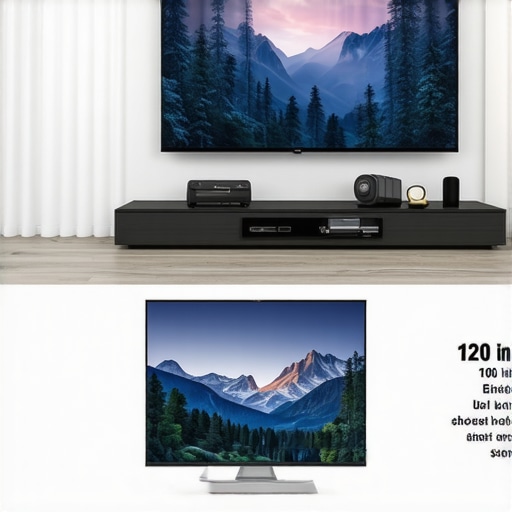
One of the biggest shifts in the market has been the rise of ust projectors (Ultra Short Throw) over traditional long-throw units. A traditional projector requires a ceiling mount, long HDMI runs, and a clear line of sight—which is a nightmare if someone stands up for popcorn. A UST sits just inches from the wall on your media console. While the UST units are generally more expensive than their long-throw counterparts, the savings on professional installation and specialized cabling often balance the scales. When hunting for home theater deals, always calculate the ‘total cost of ownership,’ including the screen. A UST projector requires an Ambient Light Rejecting (ALR) screen to look its best, which adds another $600 to $1,500 to your budget, whereas a long-throw unit can often get away with a cheaper matte white surface.
Make Your Final Choice Before the Sale Ends
Choosing between these technologies depends entirely on your room’s light levels and your tolerance for setup complexity. If you want a ‘set it and forget it’ experience in a bright living room, a massive TV is still the safe bet. But if you want the true ‘wow’ factor that makes your neighbors jealous, nothing beats the scale of 4k projectors. I recommend you check our full head-to-head review of the latest Epson vs. Hisense models to see which brand is currently winning the value war. Whether you are waiting for the next round of laser projector deals or ready to pull the trigger on a portable unit for summer nights, ensure your choice aligns with your room’s physical limitations.
After putting the latest 4k projectors and ust projectors through their paces, it is time to stop the speculation and look at the hard data. The transition from traditional lamps to modern laser projector deals represents a seismic shift in how we consume media at home, but it is not a flawless victory across the board. If you are chasing that true theater feel, the physical size of the image is the only metric that truly matters, but you must be prepared for the technical quirks that come with it.
The Absolute Best and Worst of Modern Projection
- Massive Screen Real Estate: Nothing beats a 120-inch or 150-inch image for pure immersion in 4K HDR.
- Maintenance-Free Life: Laser units offer 20,000+ hours of operation, effectively killing the era of the $300 replacement bulb.
- Space Efficiency: Ultra Short Throw models sit right against the wall, solving the cable management nightmare.
- The Glaring Downside: High-end units still require a dark room or an expensive ALR screen to combat ambient light.
- Sluggish Software: Onboard operating systems are often years behind the latest streaming sticks in terms of speed.
Is This Upgrade Worth Your Hard Earned Cash?
You should pull the trigger on a high-end unit if you have a dedicated space where you can control the lighting or if you are replacing a TV larger than 85 inches. If you want the ultimate movie night, the best 4k projectors that don’t require a dark room still perform best with at least some light mitigation. On the other hand, if you are a casual viewer who watches the news in a sun-drenched kitchen, stick to a traditional LED panel. For the frequent traveler or the parent looking for easy backyard entertainment, portable projectors offer incredible flexibility, but remember that why an alr screen is more important than your projectors brightness becomes a critical lesson once you move the setup indoors. If you hate slow interfaces, you should prioritize the best smart projector os for people who hate slow menus to avoid the common headache of crashing apps.
#IMAGE_PLACEHOLDER_E#
The 9/10 Verdict: Why You Should Go Big
The era of the washed-out, gray projection image is officially over. With modern laser technology, the contrast and color depth finally meet the demands of high-bitrate HDR content. While the upfront cost is higher than a mid-range television, the “price-per-inch” value is unbeatable once you cross the 85-inch threshold. For anyone serious about film, the immersion of a 120-inch screen is a life-changing upgrade. The Verdict: A Must-Buy for Cinema Lovers. If you are ready to upgrade your living room, make sure you know how to find the best deals on high-end laser projectors before the current sales cycle ends.